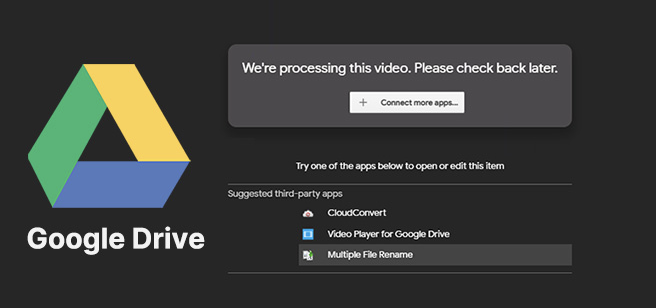
Sometimes when you upload a video to Google Drive, it does not play immediately. Instead, it may show a message like “Processing video” or simply refuse to load. This can be confusing, especially when the file appears to be uploaded successfully.
This issue is related to how Google Drive prepares videos for online playback. The file is not just stored, it is also processed so it can be streamed properly in the browser.
This guide explains why videos fail to process and how Google Drive handles video preparation.
How Google Drive Processes Videos
When a video is uploaded to Google Drive, the system does more than just save it.
It also:
- Analyzes the video file
- Converts it for streaming playback
- Creates preview versions
- Optimizes it for different devices
This processing step is necessary so the video can play smoothly inside the browser without needing a full download.
Until this process is complete, playback may not work properly.
Reason 1: Large File Size
One of the most common reasons videos fail to process is large file size.
Large videos require more time because:
- More data needs to be analyzed
- Conversion takes longer
- Preview generation is more complex
High-resolution videos like 1080p or 4K often take significantly longer to process compared to smaller files.
Reason 2: Unsupported or Complex Format
Google Drive supports many video formats, but not all formats are optimized for processing.
If a video uses a less common format:
- Processing may take longer
- Preview may fail to generate
- Playback may not work correctly
Even if the file uploads successfully, format compatibility affects processing speed.
Reason 3: Slow or Interrupted Upload
If the upload process is unstable, video processing can be affected.
This happens when:
- Internet connection drops during upload
- File upload is incomplete or corrupted
- Upload speed is very slow
When this occurs, Google Drive may struggle to properly process the file afterward.
Reason 4: Google Drive Server Load
Sometimes the issue is not the file but the system itself.
When Google Drive servers are under heavy load:
- Processing time increases
- Videos may stay in “processing” state longer
- Playback may be delayed
This usually happens during peak usage times when many users are uploading files at once.
Reason 5: Very High Resolution Videos
Videos with higher resolution require more processing power.
Examples include:
- 1080p Full HD videos
- 2K or 4K videos
- High frame rate recordings
These files contain more data, which increases processing time significantly.
Reason 6: File Corruption Before Upload
If a video file is damaged before uploading, Google Drive may not be able to process it properly.
This can happen if:
- The video was not fully saved
- The file was interrupted during creation
- The file is partially corrupted
In such cases, the video may remain stuck in processing or fail to play entirely.
Why Processing Is Required
Google Drive processes videos to make them compatible with online playback.
This ensures:
- Smooth streaming in the browser
- Compatibility across devices
- Reduced loading time during playback
Without processing, videos would need to be fully downloaded before viewing.
Difference Between Upload and Processing
It is important to understand that upload and processing are two separate steps.
Upload Stage
- File is transferred to Google Drive
- Stored in user account
- Not yet ready for playback
Processing Stage
- Video is converted for streaming
- Preview versions are created
- Playback becomes available
A video may finish uploading but still be processing in the background.
How Long Processing Usually Takes
Processing time depends on several factors:
- File size
- Video resolution
- Format type
- Server load
Small videos may process quickly, while large or high-quality videos may take longer.
Why Some Videos Never Finish Processing
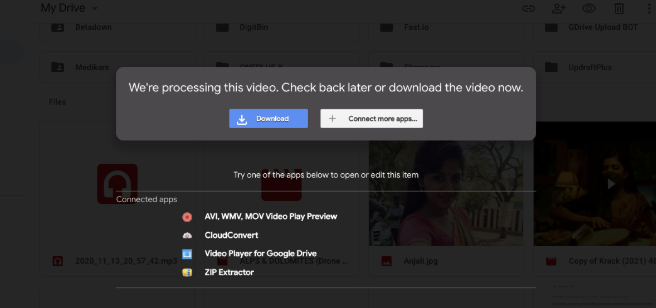
In rare cases, a video may remain stuck in processing due to:
- Corrupted file structure
- Unsupported format
- Interrupted upload
- System errors
When this happens, the video may not become playable until the issue is resolved.
Final Thoughts
Google Drive video processing is an essential step that allows videos to be streamed directly in the browser. When videos fail to process, it is usually due to file size, format issues, upload interruptions, or system load.
Once processing is complete, the video becomes available for smooth playback across all devices without requiring a full download.