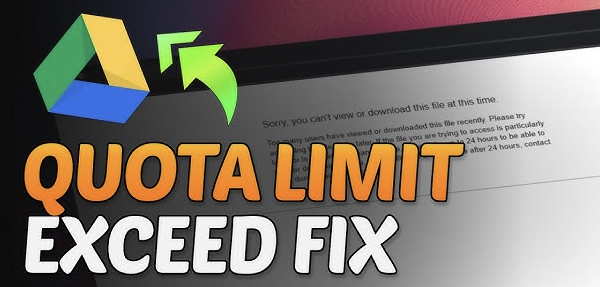
The “Quota Exceeded” error on Google Drive is one of the most common issues users face when trying to open or download a shared file. It usually appears when a file has been accessed too many times in a short period and reaches its usage limit.
When this happens, the file does not get deleted, but Google temporarily restricts access to prevent overloading its system.
This guide explains what this error means, why it appears, and how Google Drive handles file limits.

What “Quota Exceeded” Means in Google Drive
The term “quota exceeded” refers to a temporary limit placed on a file when it has been heavily used.
In simple terms:
- Too many people accessed or downloaded the file
- Google Drive applied a temporary restriction
- The file becomes unavailable for download for a while
The file still exists in the owner’s account, but Google pauses access for others until the limit resets.
Why This Error Happens
Google Drive does not allow unlimited downloads from a single file. When usage becomes too high, the system automatically activates restrictions.
This usually happens due to:
- A file being shared publicly with many users
- Viral content receiving sudden traffic
- Repeated downloads from multiple accounts
- Heavy usage in a short time period
The system is designed to prevent overload and maintain performance.
How Google Drive File Quotas Work
Google Drive does not publish exact download limits, but the system monitors file activity continuously.
When a file is accessed too frequently:
- The system detects high traffic
- Temporary limits are applied automatically
- Downloads are paused for that file
This process is automatic and applies only to that specific file, not the entire account.
What Happens When Quota Is Exceeded
When the limit is reached, users may see messages like:
- “Download quota exceeded”
- “Sorry, you can’t view or download this file at this time”
- “Too many users have viewed or downloaded this file”
During this time:
- The file remains stored safely
- The owner still has full access
- Other users cannot download or view it normally
The restriction only affects public access.
Temporary Nature of the Error
The quota exceeded error is not permanent.
In most cases:
- The restriction lasts a few hours
- Sometimes it may take up to 24 hours
- Access is restored automatically
Once the system detects reduced traffic, normal access returns without any manual action.
Why Shared Files Are Most Affected
Files that are publicly shared are more likely to reach the quota limit.
This includes:
- Videos shared on websites or social media
- Large educational resources
- Media files accessed by many users
- Popular downloadable content
The more a file is shared, the faster it reaches the limit.
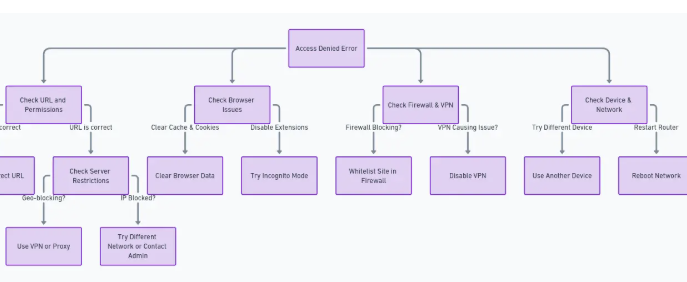
Difference Between Quota Error and Access Denied
These two errors are often confused, but they are different.
Quota Exceeded
- File is available but temporarily blocked
- Caused by high traffic
- Usually resolves automatically
Access Denied
- File is restricted by the owner
- Caused by permission settings
- Requires access approval
Understanding the difference helps identify the actual issue.
Can the File Still Be Accessed?
In most cases, when quota is exceeded:
- The file cannot be downloaded
- Preview may also be limited
- Access is temporarily paused
However, the file itself remains safe and unchanged in Google Drive.
How Google Protects the System
Google Drive uses quota limits as part of its system protection.
This helps:
- Prevent server overload
- Maintain platform speed
- Avoid abuse of file sharing
- Ensure fair usage for all users
Without these limits, heavily shared files could slow down the entire system.
Why Some Files Never Show the Error
Not all files reach quota limits. It depends on usage.
Files that are less shared or rarely accessed:
- Do not hit download limits
- Remain available continuously
- Experience stable access
Only high-traffic files are affected.
System Reset Behavior
When traffic decreases:
- Google automatically lifts restrictions
- File access becomes normal again
- No action is required from users or owners
The system manages this process internally.
Final Thoughts
The “Quota Exceeded” error on Google Drive is a temporary restriction applied when a file receives too much traffic in a short time. It does not mean the file is deleted or broken. Instead, it is a system-level limit designed to protect performance and ensure fair usage.
Once the usage drops, access is automatically restored and the file becomes available again.