Google Drive is widely used for storing and sharing files, but like many cloud platforms, it has certain limits in place to keep the system stable. One of the most commonly discussed issues is the download limit. Users often see messages like “download quota exceeded” or find that a file suddenly stops downloading even though it was working earlier.
This article explains what Google Drive download limits are, why they exist, and how the system behaves when these limits are reached.
What Are Google Drive Download Limits?
Google Drive download limits are restrictions placed on files when they are downloaded too many times within a short period.
When a file becomes popular and starts receiving a large number of downloads, Google may temporarily block further downloads for that file. This is done automatically by the system.
The purpose is not to restrict users unfairly, but to maintain performance and prevent abuse of the storage system.
Why Google Drive Has Download Limits
Google Drive is designed for both personal storage and file sharing. When a single file gets too much traffic, it can put pressure on Google’s servers.
To manage this, Google applies temporary limits. These limits help:
- Prevent server overload
- Stop automated or bot-based downloading
- Maintain fair usage for all users
- Keep the platform stable and fast
Without these controls, heavily shared files could slow down the entire system.
How the Download Limit Gets Triggered
The download limit is not based on a fixed number shared publicly by Google. Instead, it is triggered automatically based on usage patterns.
A file may hit the limit when:
- Too many users download it in a short time
- A file goes viral and gets sudden traffic
- Multiple repeated downloads happen from different accounts
- Automated systems detect unusual activity
Once this threshold is reached, Google temporarily restricts access to that file.
What Happens When the Limit Is Reached
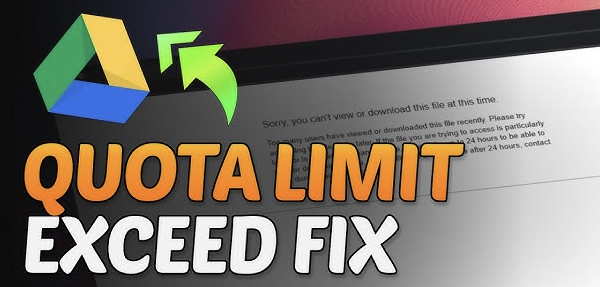
When a file exceeds the download limit, users may see messages such as:
- “Download quota exceeded.”
- “Sorry, you can’t view or download this file at this time.”
- “Too many users have viewed or downloaded this file.”
During this time:
- The file remains in Google Drive
- The owner still has access
- Other users cannot download it directly
This restriction is temporary and usually resets after some time.
How Long Does the Limit Last?
The duration of the restriction is not fixed. It can vary depending on:
- File popularity
- Server load
- Frequency of downloads
In most cases, the limit resets within a few hours to 24 hours. After that, downloads become available again.
However, during high traffic periods, it may take longer.
Difference Between Download Limit and Access Issues
It is important to understand that download limits are different from permission problems.
Download Limit Issue
- File is accessible
- You can see the file
- Download is temporarily blocked
Access Denied Issue
- The file cannot be opened
- Permission is missing
- Link may be restricted
Both problems look similar but come from different causes.
Why Shared Files Are More Affected
Files that are shared publicly or used by large groups are more likely to hit download limits.
This often happens with:
- Movie files
- Educational resources
- Software archives
- Large media folders
The more people access the same file, the faster it reaches the limit.
Google Drive’s Fair Usage System
Google uses a fair usage policy to balance storage access for all users.
Instead of allowing unlimited downloads from a single file, the system ensures:
- No single file dominates server resources
- All users get equal performance
- Abuse and spam downloads are controlled
This keeps Google Drive reliable for millions of users worldwide.
What File Owners Experience
When a file reaches the download limit, the owner may notice:
- Users reporting download errors
- Increased complaints or access issues
- Temporary drop in file accessibility
However, the file itself is not deleted or damaged. It remains safe in the owner’s Drive account.
Can You Still View the File?
In many cases, the file can still be previewed even when downloads are blocked.
This means:
- Video previews may still work
- Documents may still open in the browser
- Only downloading is restricted
This allows users to at least view content until the limit resets.
Why Copying a File Helps
One common behavior in Google Drive is making a personal copy of a file.
When a user creates a copy:
- It becomes a new file in their Drive
- It is no longer linked to the original download limit
- It can often be downloaded normally
This is because each copy has its own usage quota.
How Google Prevents Abuse
Download limits also help prevent misuse of shared content.
Without limits, users could:
- Use bots to repeatedly download files
- Overload servers with requests
- Share copyrighted content widely without control
By controlling downloads, Google ensures better platform security.
Impact on Regular Users
For normal users, download limits may sometimes feel frustrating, especially when a file is urgently needed.
However, these restrictions are temporary and usually resolve automatically.
Most users experience:
- Short waiting periods
- Temporary download blocking
- Normal access was restored later
How the System Resets
The reset process is automatic. Google does not require manual action from users or file owners.
Once system traffic decreases:
- Download access is restored
- File returns to normal availability
- Limits are cleared automatically
This makes the system self-managing.
Final Thoughts
Google Drive download limits are part of the platform’s built-in system to manage heavy traffic and ensure fair usage. While they can temporarily block access to popular files, they are not permanent restrictions.
In most cases, the limitation is short-lived and automatically resets after some time. Understanding how these limits work helps users avoid confusion when a file suddenly becomes unavailable for download.
The system is designed to balance convenience and stability, ensuring that Google Drive remains reliable for both personal and large-scale file sharing.